
Powershell .ToString()
I’m posting this as I spent too much time on figuring out how to convert the current IP of a machine and turn the IP address into an array. I needed this so I can change the last octet to a couple of other values that I would set later in the script. Powershell has an odd way of outputting data into different types such as objects. Objects can be frustrating when you just want a string output, but objects do give you all types of other possible information from the data you are querying.
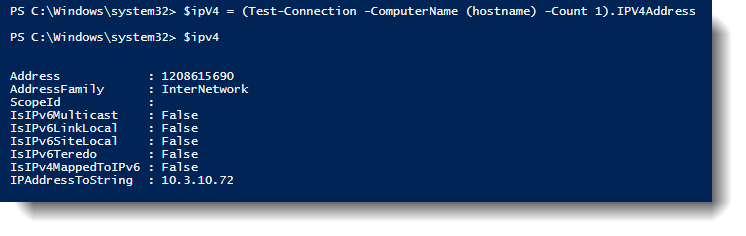
I mean there is quite a bit of data to choose from, but I just wanted the IP address. So, after digging around, I realized I needed to pass a PSObject .ToString() to my variable which will return the string representation for this object.
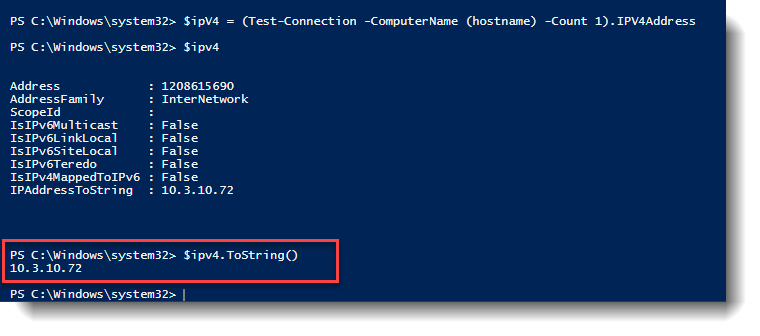
Now that I can get the actual string value I need, I can then use split(‘.’) to split the string at each period character to an array. For some reason, getting just the string value on this one stumped me longer than it should have. So, here it is for anyone that ever needs this (Or myself for future reference). Splitting your IP address into an array.
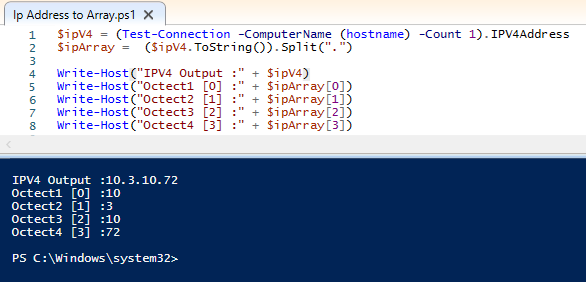
$ipV4 = (Test-Connection -ComputerName (hostname) -Count 1).IPV4Address
$ipArray =  ($ipV4.ToString()).Split(".")

Write-Host("IPV4 Output :" + $ipV4)
Write-Host("Octect1 [0] :" + $ipArray[0])
Write-Host("Octect2 [1] :" + $ipArray[1])
Write-Host("Octect3 [2] :" + $ipArray[2])
Write-Host("Octect4 [3] :" + $ipArray[3])Replacing apt with Nala
Nala is an improved front-end for the apt package manager in Ubuntu/Debian Linux. It adds many features and a better visual representation to the activity of the command. A really good article about Nala can be found here at ItsFoss. There are many more features and arguments to nala than the normal apt command offers.
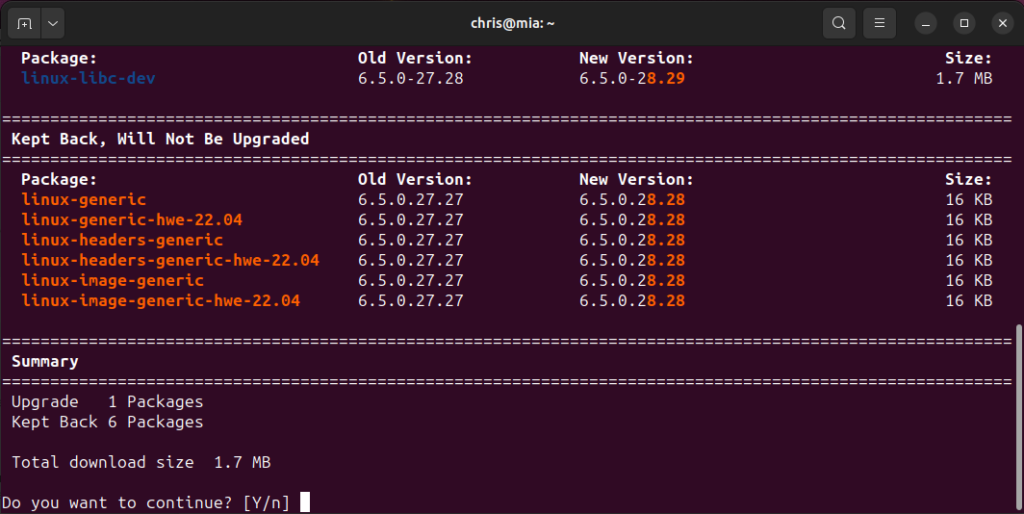
I’ve decided to create an alias to stop me from using the apt command to using nala. To make sure the alias is persistent after every session or login, I needed to add the following alias commands to the bottom of my .bashrc file.
# Added alias for nala to be used instead of apt.
alias apt='\nala'
alias dapt='\apt'
# For aliases to work with sudo:
alias sudo='sudo '
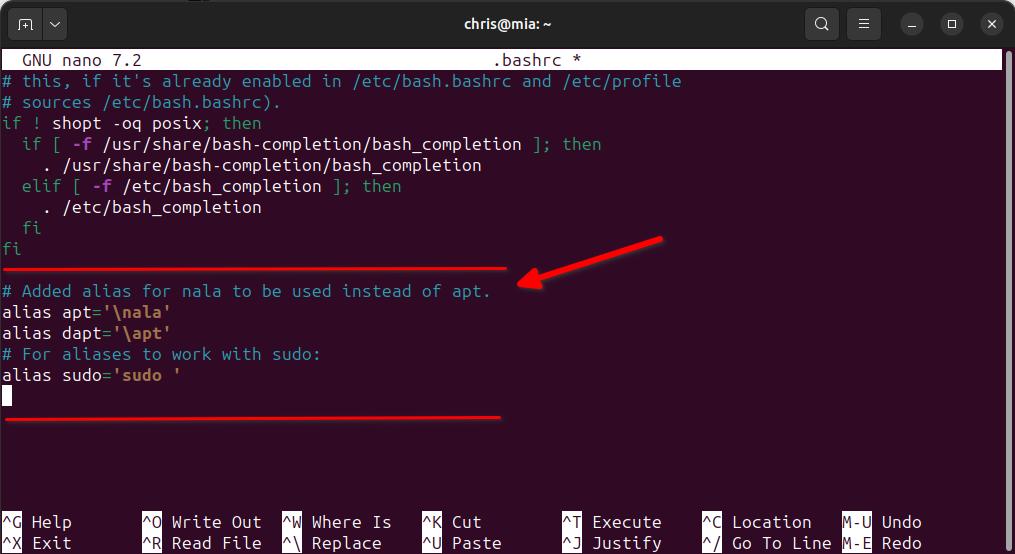
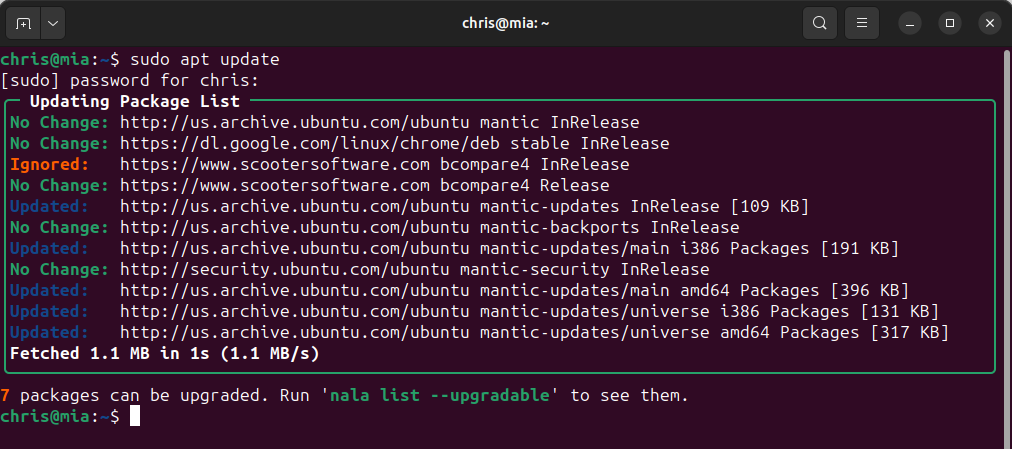
Now save and exit the shell. Enter back into your terminal and when I run sudo apt update, I get nala running instead.
Monthly patching schedule
I am often asked how I perform security and third-party patching for an entire company. Below, I have outlined the basic strategy I use, and this has not varied much in the past 15 years from every company where I have been responsible for maintaining the patching in regard to Windows servers and workstations. First off, I always test patching before roll-out. Period! I never assume every update installs without issue. Patching processes these days are much more reliable than they used to be, but sometimes a patch or an updated application can cause issues. Testing first doesn’t hurt anything and ensures the patching doesn’t have any conflicts with applications and operations, which could save you a major headaches in the long run.
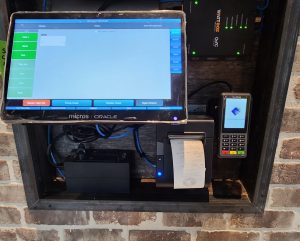
To explain my reason for testing is to ensure no disruption to business. For example, if many of the endpoints that you are patching are located in restaurants, such as the point-of-sale system or other critical machines required for business to operate, you will want to make sure those endpoints are always available, and that a patch or update does not cause problems for those devices to operate. If those endpoints are not running, that can cause an immediate loss of business to a location(s) financially. You don’t want to find out a patch or an updated application doesn’t play nice until too late.
I’ve been using Action1 as my patching platform for the past couple of years and have been impressed with the flexibility and ease of keeping the entire company up to date. The below details will be shown from the Action1 configuration I use, but the scheduling will match to my normal overall strategy.
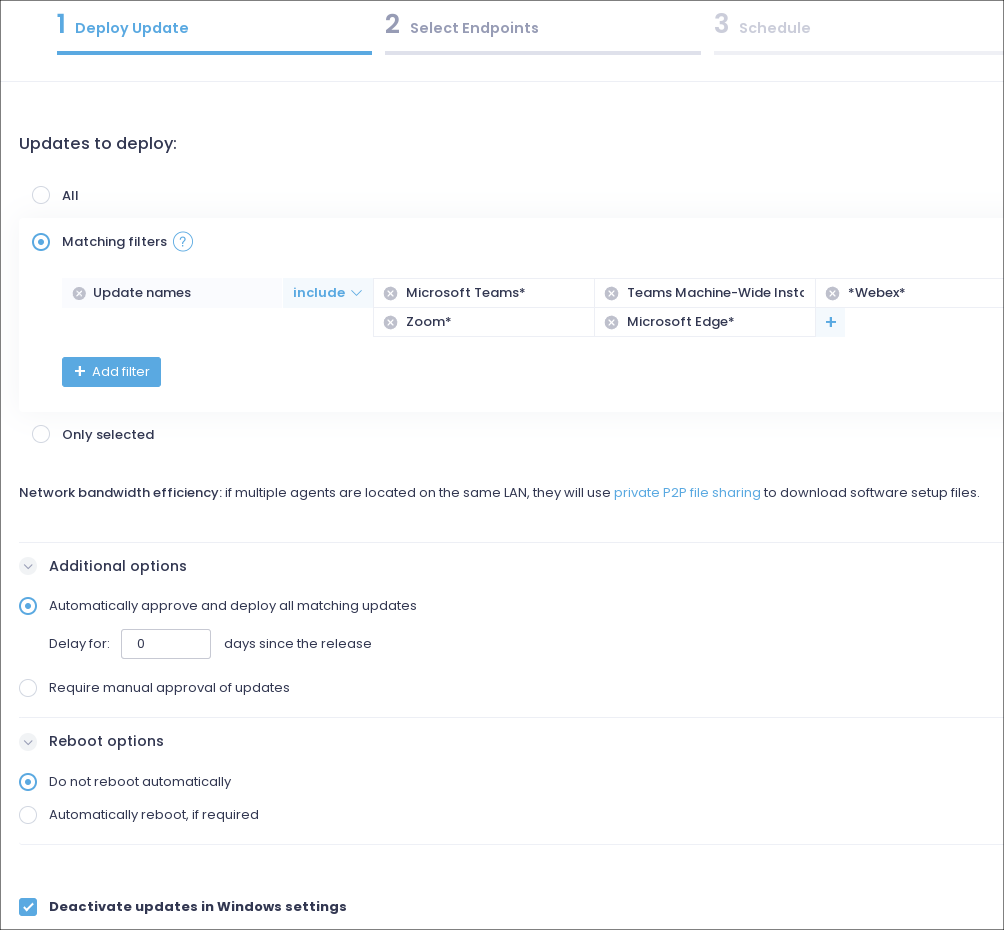
With all that I mentioned about testing updates before deployment, I do have a small handful of application updates that I will deploy as soon as they are available. These are mostly workstation applications for users and not OS security or production applications for business-critical needs.
Workstations – Automated patching. Daily. 6am. No reboot. Low risk to workstation users.
- 1Password
- Adobe Acrobat Reader*
- Microsoft Edge*
- Microsoft Teams*
- Teams Machine-Wide Installer*
- VLC*
- *Webex*
- XNView*
- Zoom*
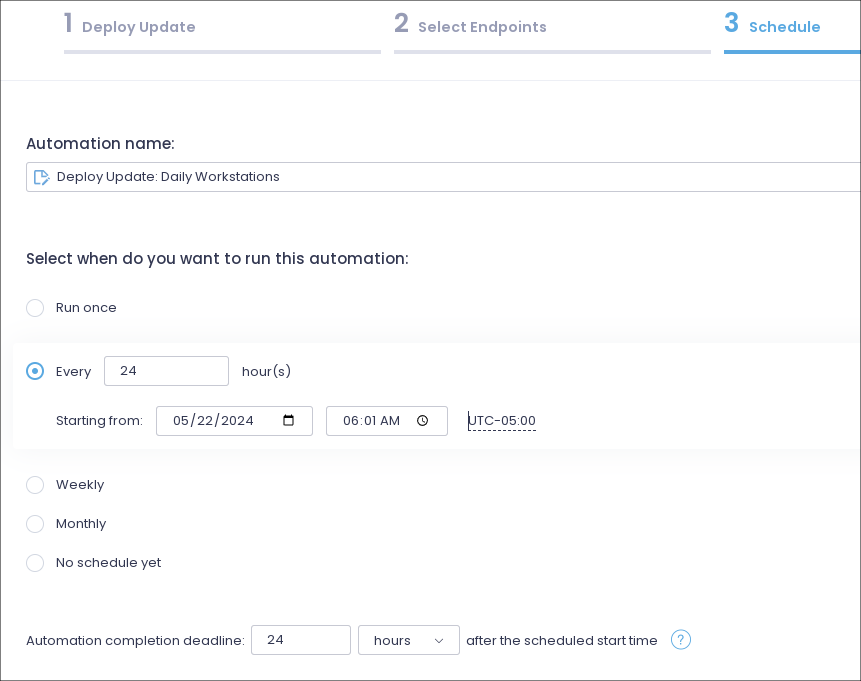
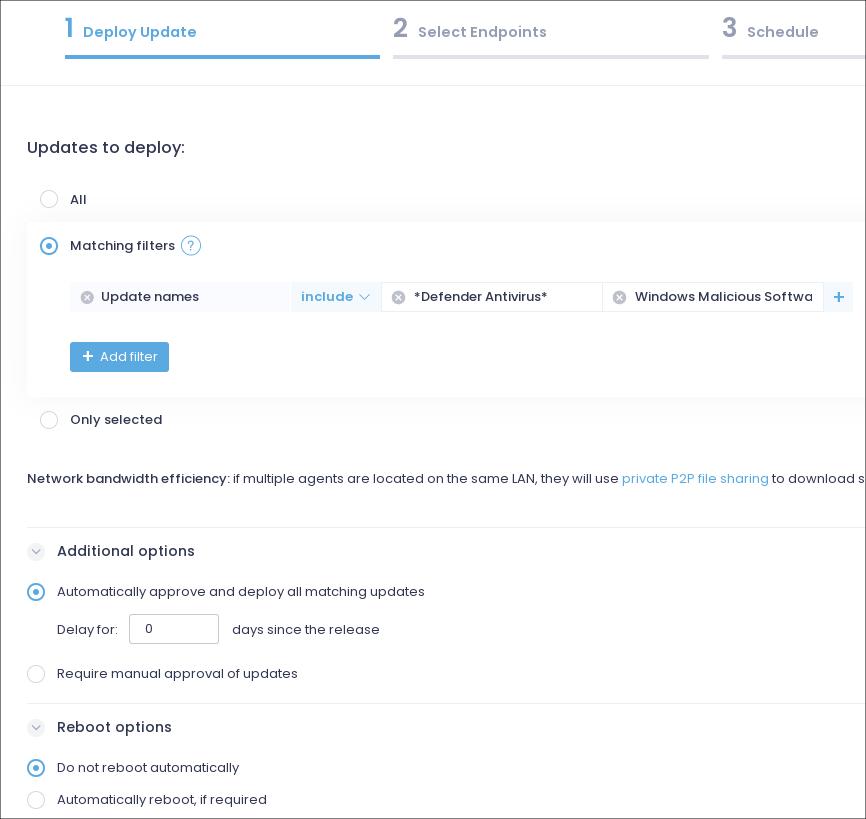
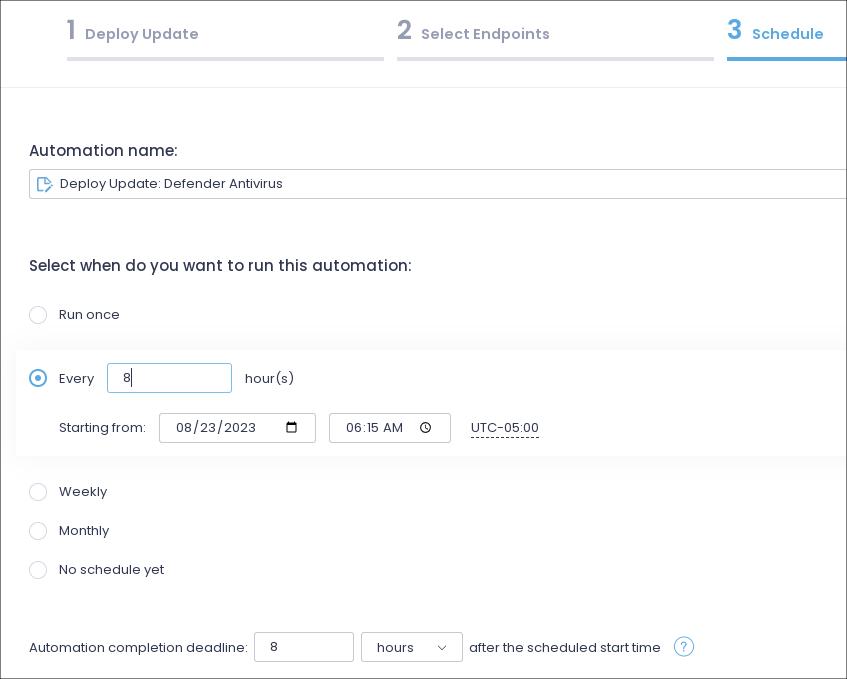
Workstations and Servers – Automated patching. Daily. 6:15am. No reboot.
- *Defender Antivirus*
- Windows Malicious Software Removal Tool*
Monthly Patching – Servers and workstations.
All updates are manually approved. Reboots allowed. Patching is done manually, no automated schedules.
- Updates deployed to lab/dev/qa system endpoints first. Verify no issues with functionality for 24 hours.
- If no issues from lab endpoint patching. Update to pilot group of live sites for 24 hours. Pilot workstation group includes IT department workstations.
- If no issues from pilot group. Deploy to all workstation endpoints.
- If multiple endpoints at remote sites, do not deploy to all endpoints, break up patching into groups to ensure not all endpoints will be affected at same time during patching/reboots.
Server considerations
- Do not deploy to a master domain controller first. Apply to a secondary domain controllers, then patch master domain controller on following day.
- Server patching done outside business hours. Must have IT staff monitoring patching to ensure all servers operational after patching.
- Snapshot all VM’s before patching or patch after backup routines to ensure quick rollback if needed.
I hope this provides some visibility into my patching strategy and helps you with coming up with your own patching cycle. Every patching cycle should be strict and consistent to minimize risk to any organization, but yet flexible to work around business needs.