Dell salespeople are notorious for trying to trick you into a phone call with them by sending cold-call meeting invites to try and trick you into having a call with them. This tactic needs to stop.
I’ve added a rule on our mail server to block and reject any emails from Dell. Nobody has time for this crap.
Zabbix is a fantastic open-source application for monitoring your network attached devices. In regard to monitoring Windows endpoints, there are many Windows services that you will not want to see alerts for in your Zabbix dashboard. You can add exclusions to the template so that this excess clutter is not shown. This is a question that is asked a lot in the Zabbix forums, and the answers do not always seem to clearly give a beginner to Zabbix easy to follow steps for this. So, here it is.
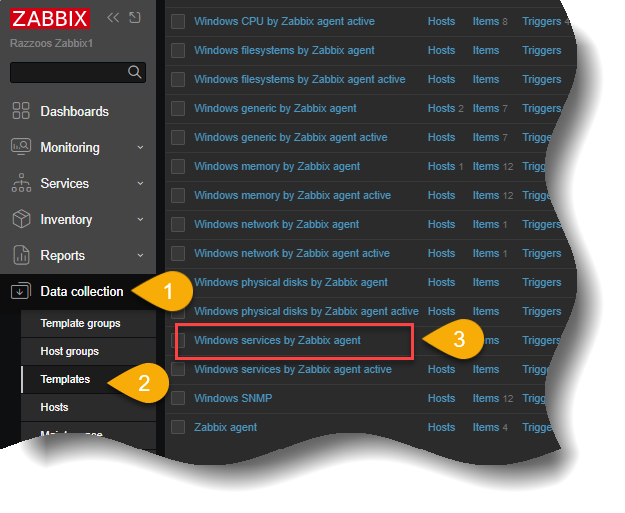
From your main dashboard, go into, “Data collection“, then select, “Templates“. Almost to the end of the list of templates, you will see a template named, “Windows services by Zabbix agent“. Select that template.
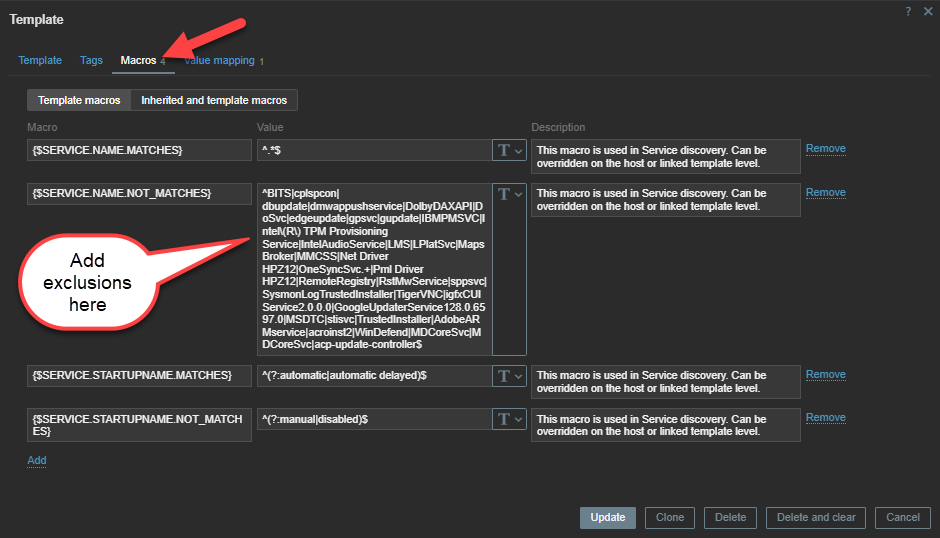
Now select the MACROS tab within the template. Look for the section for, “{SERVICE.NAME.NOT_MATCHES}“. In the box, enter the service names you would like to exclude from detection. The list must begin with a ^ character and is separated by a | pipe character. The end of the list must be a $ dollar sign. An example would be:
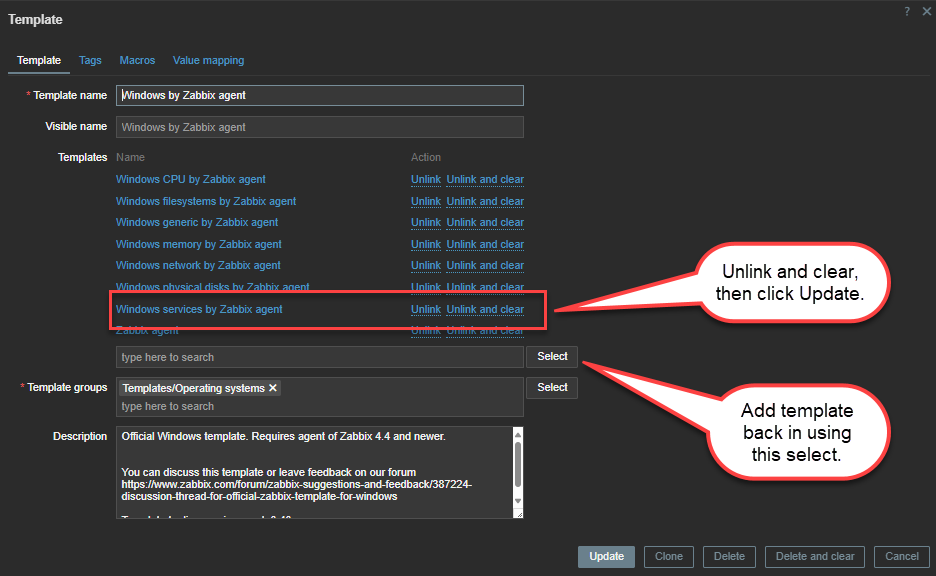
The exclusions will not be immediate. Normally the changes will only happen after the current lifecycle of the alerts history you have set. If you want the changes to be immediate and the services that you want to exclude removed from the dashboard immediately, then you will need to temporarily unlink and clear the windows services template from the, “Windows by Zabbix agent”, template, then add the template back in.
Using the same method to find the previous template, search for, “Windows by Zabbix agent” and open the template. Look for the, “Windows services by Zabbix agent“, and click on the link to the righ that says, “Unlink and clear“. Then click UPDATE. After several moments, the template will be removed. Now you can use the select function below to search and add the, “Windows services by Zabbix agent“, back into the template. Once you update the temaplate after adding the, “Windows services by Zabbix agent” back in, the alerts will be cleared out and now only be populated moving forward with the alerts you want.
All existing alerts are now cleared from dashboard and all future alerts will be shown except the ones you added to be excluded.
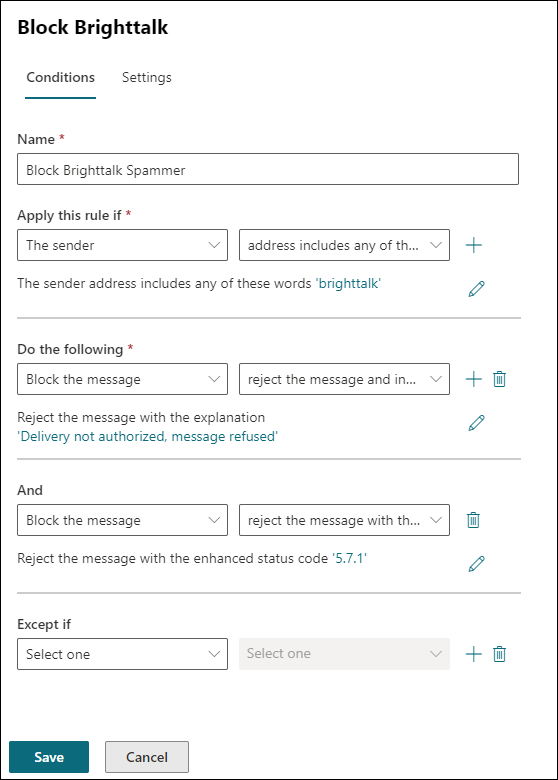
BrightTALK is a shit organization that is supposed to be a media company providing technology webinars you can watch. The problem is they are one of the most obnoxious spammers on the planet. If your email addresse gets on one of their lists, you are screwed! Their unsubscribe options do not work and seem to actually sign you up for more SPAM from them. The only way to deal with them is to reject their email and protect everyone in your organization. I do this by creating a rule in Exchange online.
I highly recommend everyone to add this rule to their mail server settings. After an hour of creating this rule, I have already blocked over a dozen emails from these bastards.
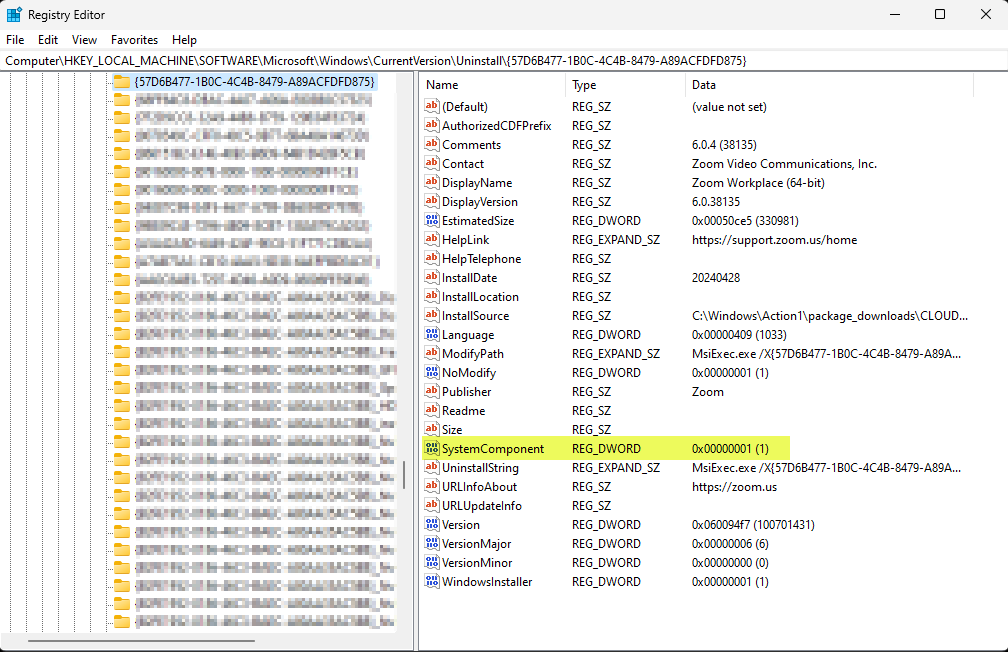
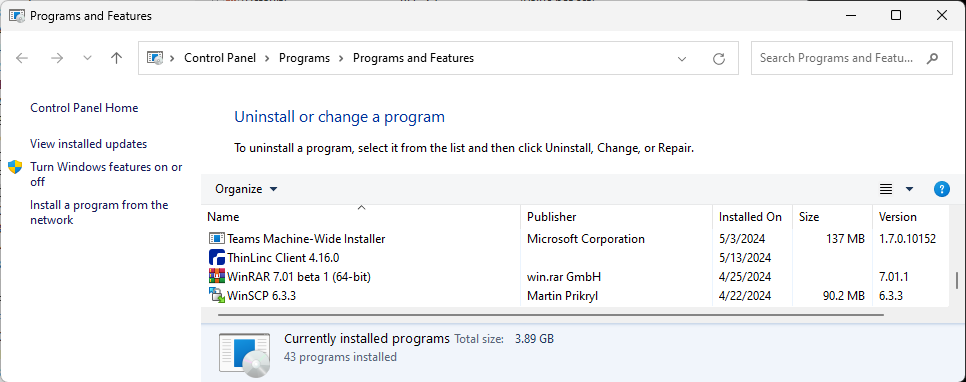
There may be a time when you need to hide an installed application so that it will not be uninstalled. An easy way to keep an application from being uninstalled is to just hide it from appearing in Windows add/remove programs. This is easily achieved by adding the SystemComponent value DWORD in the uninstall section of the registry for that specific application.
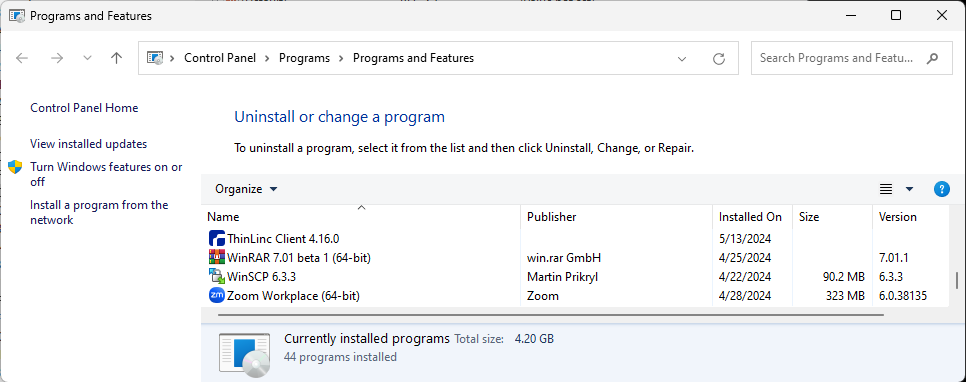
Let’s say I want to hide the Zoom application from appearing in Windows. Currently, you can see it listed in the control panel
I can run the following powershell command to add the SystemComponent entry to the registry and set the value to 1 to hide the application: