Webcam for Linux

By | December 6, 2020

I found a nice webcam that works well with my Linux desktop. The Adesso CYBERTRACK H4. I was able to connect to a USB port and within seconds able to use the webcam for Teams and Webex without issue (Have not tried Zoom/Ringcentral yet). Cheese worked perfect too. I was able to pick one up at my local Altex location. And at $50, I’d say it was a decent price.

Command not found has crashed

By | November 23, 2020

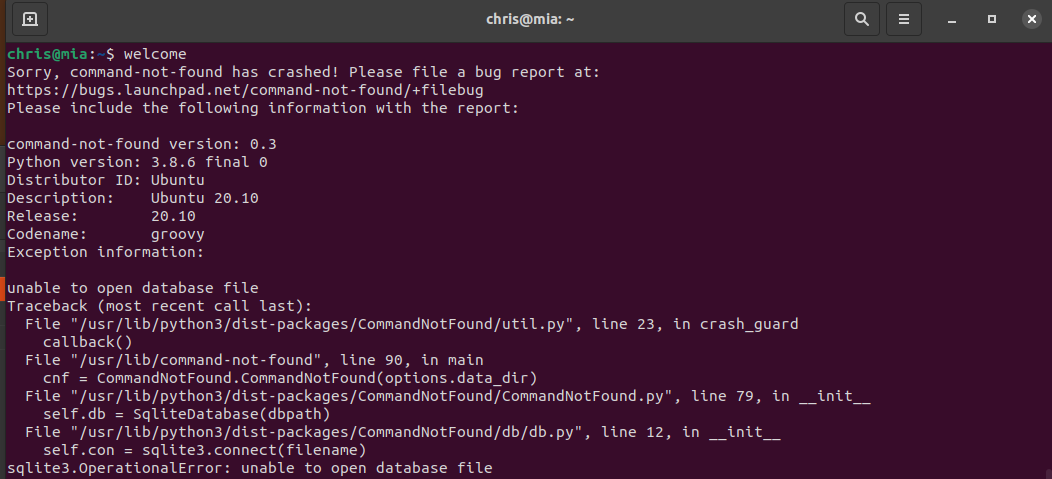
Noticed recently when I am in the bash shell, if i type a command incorrectly I have been getting an error that is not part of the command I was entering, but one that seems to be from the shell not knowing how to respond to an incorrect command.

Entering a bogus command, “welcome”, I get an odd response.

After doing some searching, I found that this appears to be a permissions issue after upgrading. By entering the following command repaired my issue: sudo chmod ugo+r /var/lib/command-not-found/commands.db*

After running the chmod command, you can see I then ran my bogus, “welcome” command and received the proper response.

All good now!

Pop! OS screen sharing / VNC

By | September 3, 2020

Setting up remote VNC access in Pop! OS is quite easy, but one option I wish they would make is to disable the require-encryption option. Pop! OS uses Vino for VNC access but most other clients do not support the encryption option that Vino uses.

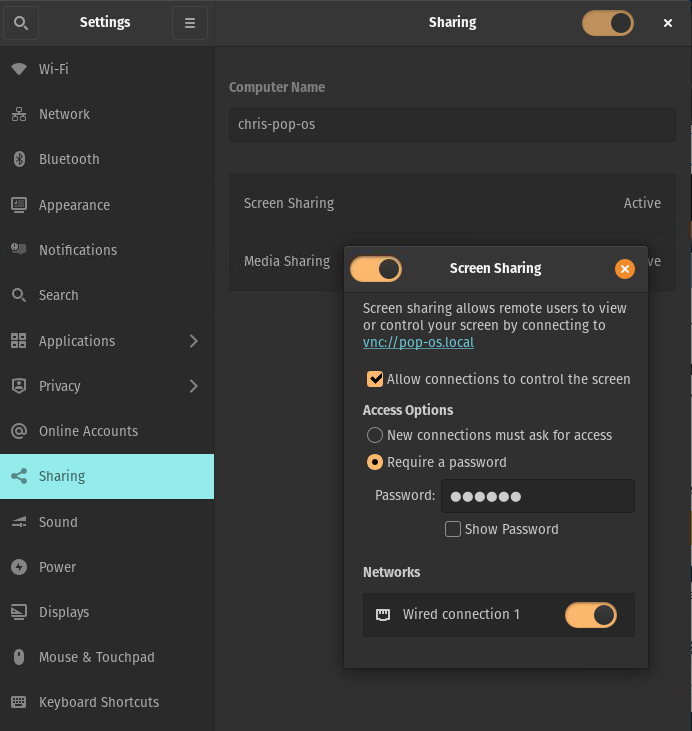
To Configure, go into Settings / Sharing. Enable options as shown below. And, don’t forget to add a password for access.

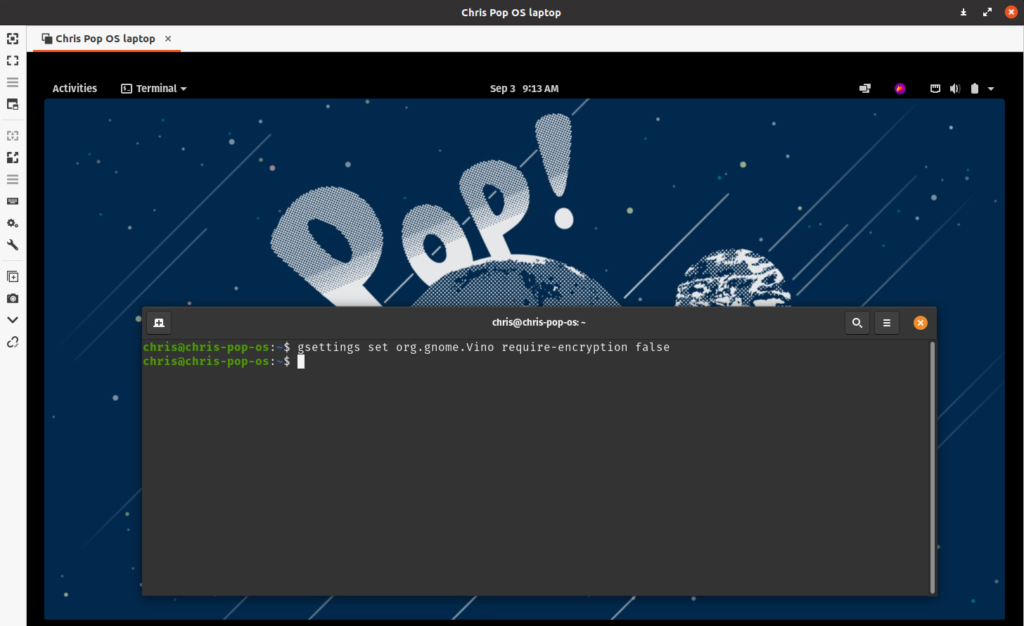
Now open a terminal shell and run the following command to disable the require encryption: gsettings set org.gnome.Vino require-encryption false

Now open your VNC client on another machine, and enter the hostname or IP of the PoP! OS machine, and sign in.

Signed in and accessing my Pop! OS laptop.